Quick answer
- A Shopify accessibility app helps shoppers adjust the storefront (text size, contrast, fonts, reading guides, languages), while giving merchants a scan with fix tips, an accessibility statement page, and a reports inbox.
- It does not make a store compliant on its own. Fixing underlying code, alt text and contrast still matters. That honesty is the point.
- AccessiWidget: ADA & WCAG is live on the Shopify App Store (developer JETBLOK). Free plan available. Starter from US$4.99/mo. Pro from US$9.99/mo. Prices in USD. Paid plans include a 14 day trial and a launch offer of 30% off for life.
Picture a shopper who lands on your store and finally feels like the page was built with them in mind. Text they can enlarge. Contrast they can raise. A font that is easier to follow. A quiet page when motion is too much. That feeling of welcome is what accessibility work is for, and a well designed Shopify accessibility app is one practical layer that gets you there faster.
This guide walks through what an accessibility app can and cannot do, how AccessiWidget's shopper and merchant tools work, how to install it, what it costs in USD, and what to fix in your theme beyond the widget. Product details live on AccessiWidget. If you also need help with the storefront itself, JetBlok's Shopify web design in Perth and web design Perth pages cover the build side.
Why accessibility matters for Shopify stores
Accessibility is not a niche add on. In Australia, 5.5 million people (21.4%) had disability in 2022, according to the Australian Bureau of Statistics Survey of Disability, Ageing and Carers. That is more than one in five people. (ABS, Disability, Ageing and Carers, 2022)
Across the wider web, most home pages still fail basic automated checks. WebAIM's February 2025 analysis of one million home pages found detected WCAG 2 failures on 94.8% of them, with low contrast text on 79.1% and missing alternative text for images on 55.5%. Automated tools cannot catch every barrier, so the real rate of full conformance is lower still. (WebAIM Million 2025)
The W3C Web Accessibility Initiative puts it simply: when sites are designed and coded well, people with disabilities can use them. When they are not, barriers shut people out of education, work, health, commerce and everyday life. Accessible design also helps people on small screens, older people, and anyone dealing with temporary or situational limits such as bright sunlight or a broken arm. (W3C WAI, Introduction to Web Accessibility)
For a Shopify merchant, that means real shoppers. People who want your product but bounce when the type is tiny, the contrast washes out, or the checkout path is hard to follow. Welcoming them is good business and good manners.
What a Shopify accessibility app can and cannot do
An accessibility app is a layer on top of your theme. Used well, it helps shoppers adjust what they see and how they move through the page. It can also help you spot common issues and publish a clear statement about your approach.
What it can do
- Give shoppers controls for text size, contrast, fonts, reading guides, animation pause, and language, including right to left layouts.
- Offer preset profiles so someone can apply a useful set of adjustments quickly.
- Scan key storefront pages and point you to common problems with how to fix tips.
- Host an editable accessibility statement page, and collect shopper reports in an inbox.
What it cannot do
- It does not make your store compliant with any law or standard by itself.
- It does not replace proper HTML, meaningful alt text, keyboard friendly theme code, or real contrast fixes in your design.
- It does not guarantee ADA, WCAG or legal outcomes. No widget should claim that.
That honesty is a selling point. Shoppers and regulators notice when brands pretend a plugin erased every barrier. AccessiWidget is built as a helpful layer while you keep improving the underlying store. For deeper theme work, talk to a designer who understands accessible Shopify builds, such as JetBlok's web design Perth team.
Shopper tools: let people set the storefront up their way
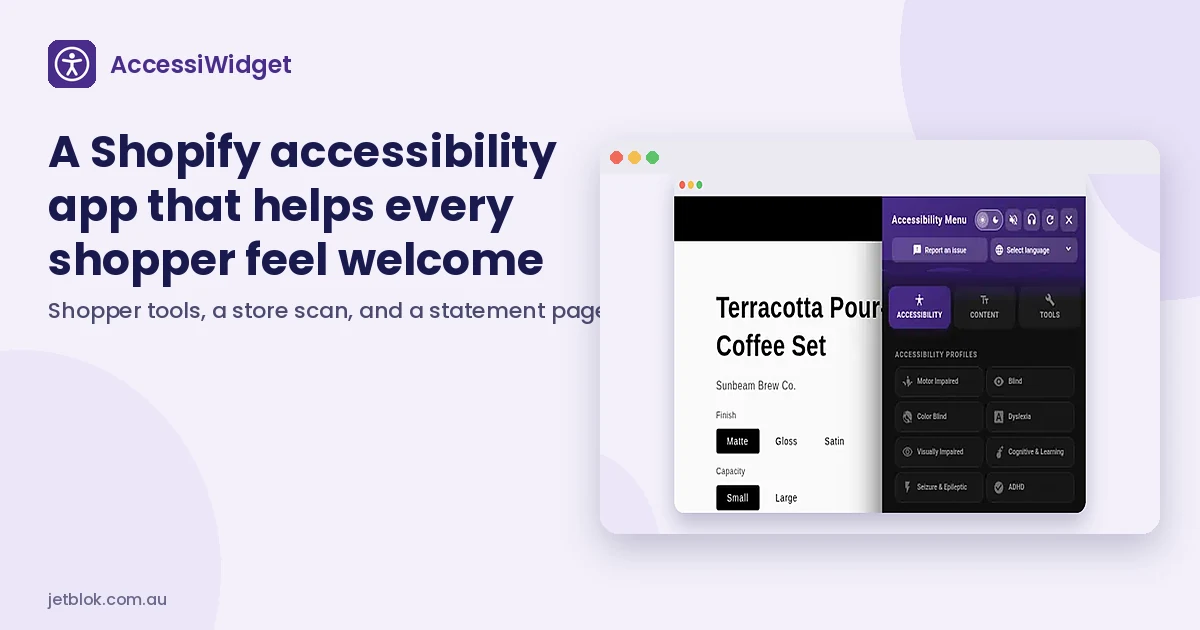
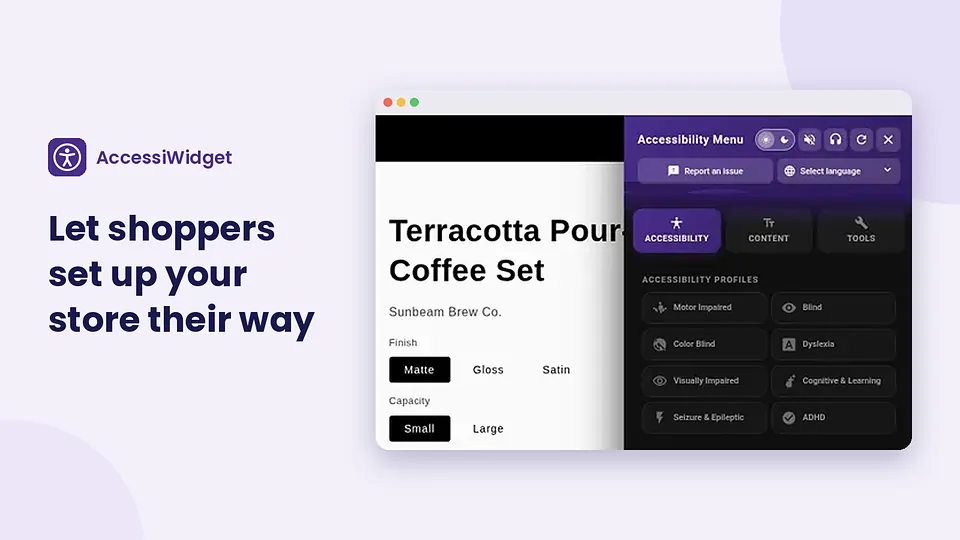
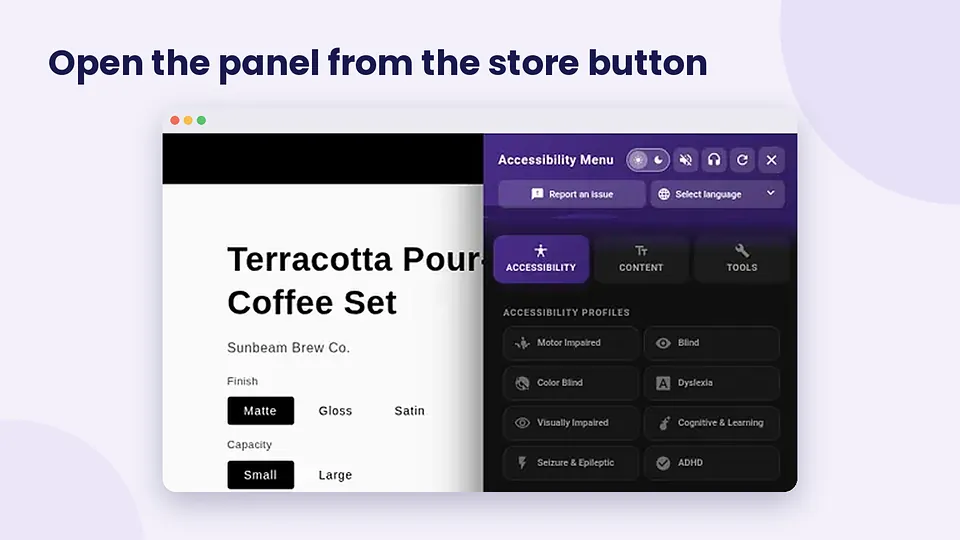
Shoppers open AccessiWidget from a button on the storefront. Inside the panel they can enlarge text, raise contrast, switch on a dyslexia friendly font, use a reading guide, pause animations, pick a preset profile, and change the panel language with RTL support where needed.
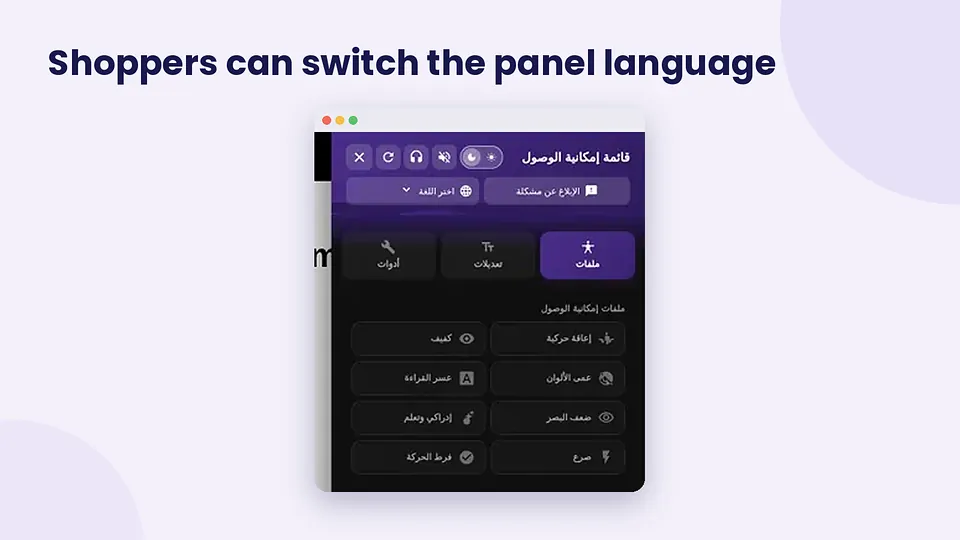
Multilingual panels matter when your customers shop in more than one language. RTL support keeps the controls readable for languages that flow right to left.
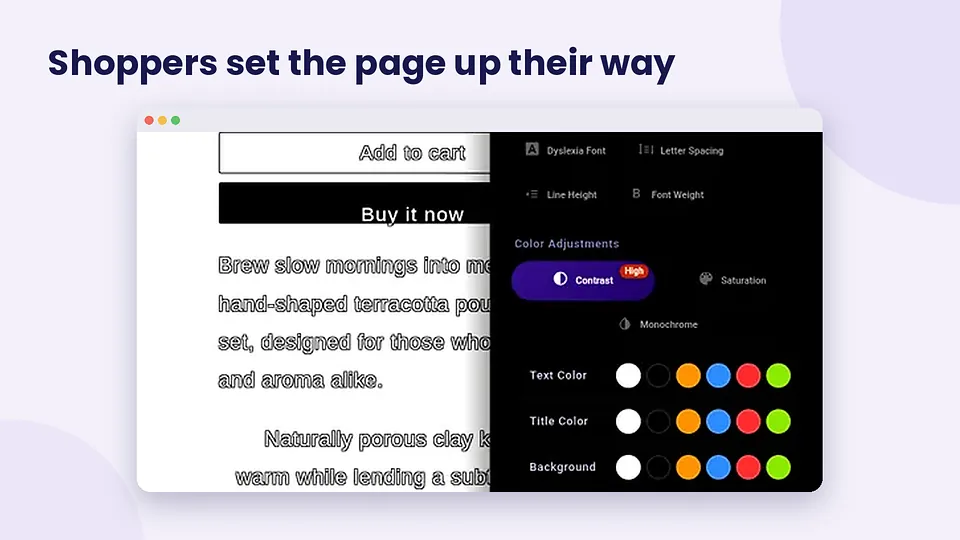
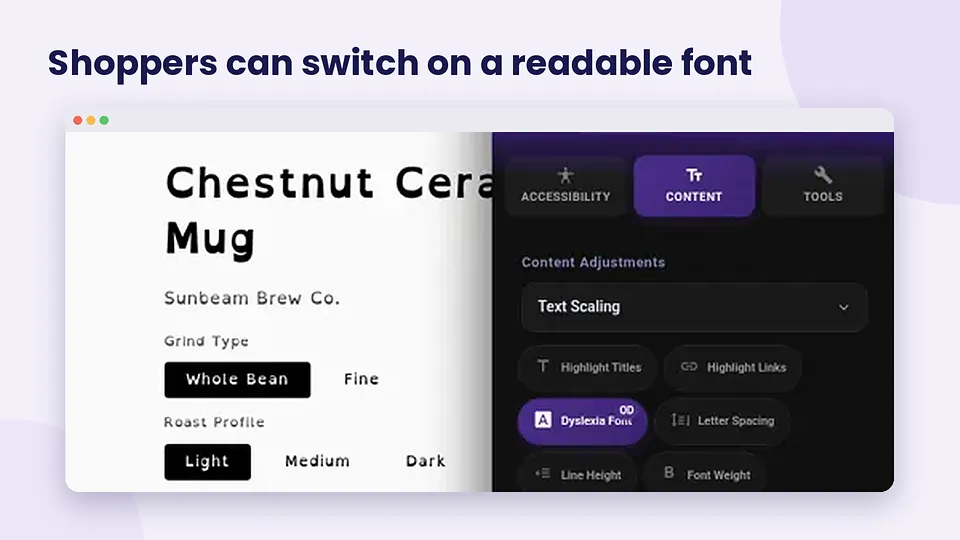
Preset profiles bundle common adjustments so someone does not have to hunt through every toggle. The goal is a calmer, clearer store in a few taps, not a maze of settings.
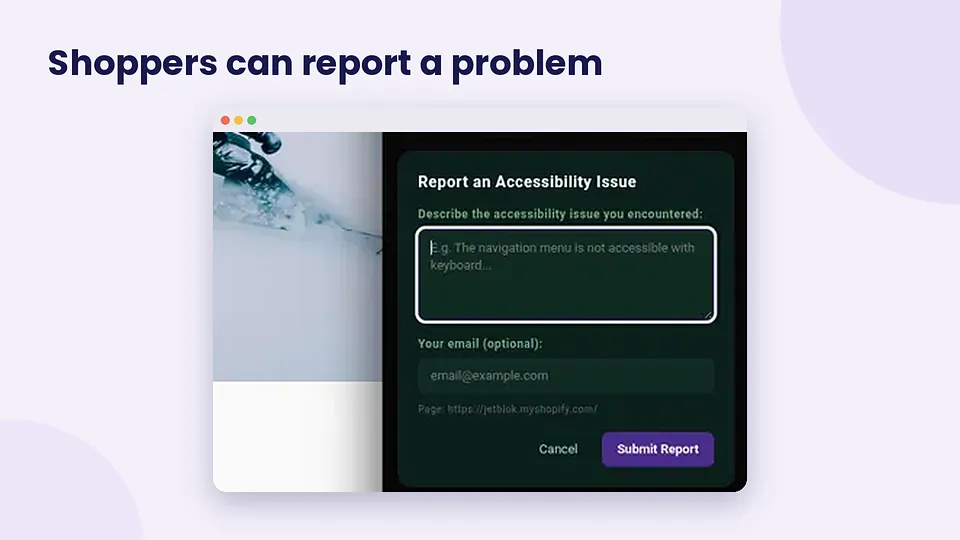
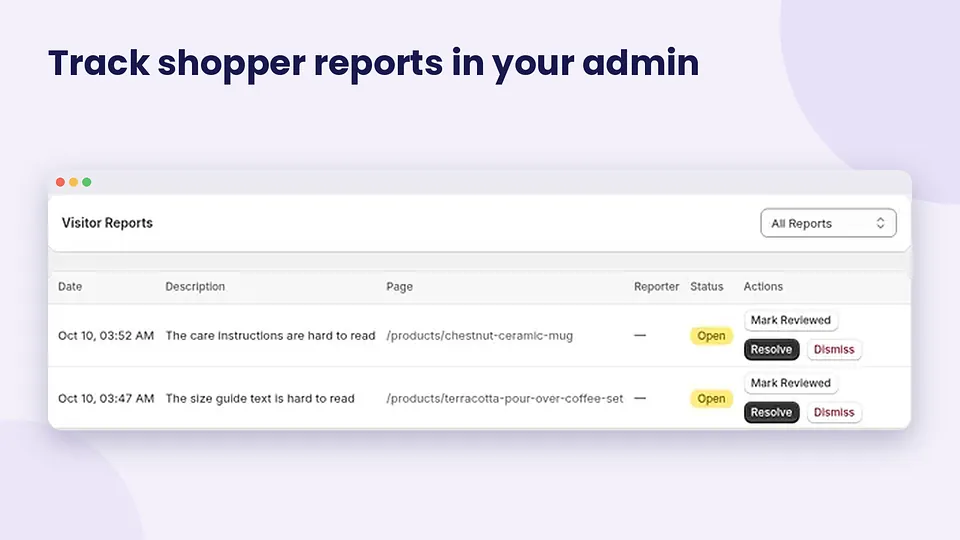
When something still blocks someone, they can report it from the panel. That feedback lands in your merchant reports inbox so you can prioritise real barriers, not guesswork.
Prefer a longer walkthrough? The AccessiWidget demo on YouTube shows the panel and merchant screens in motion.
Merchant tools: scan, statement, reports and settings
AccessiWidget is not shopper facing. Merchants get a store scan of home, product and collection pages with how to fix tips, an editable accessibility statement page, a reports inbox, and controls to match the button to your brand.
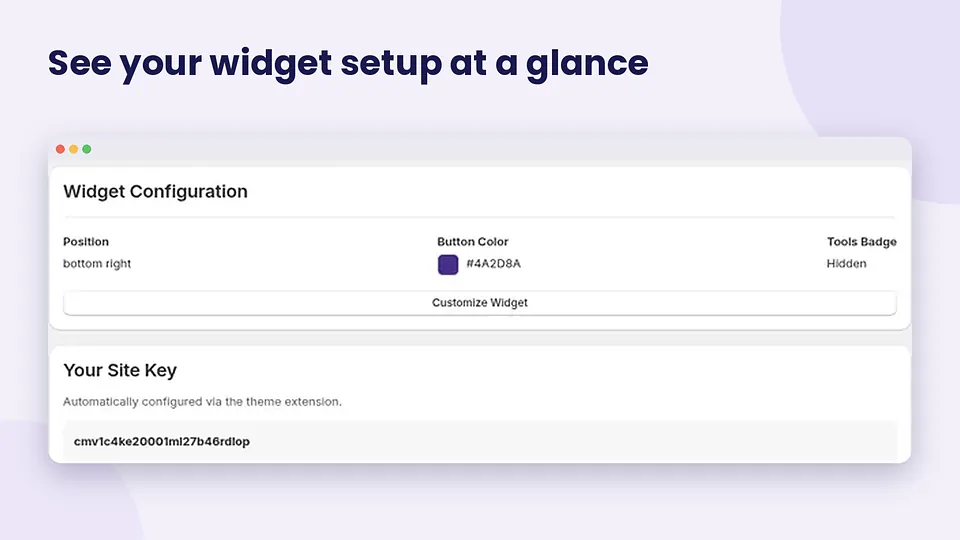
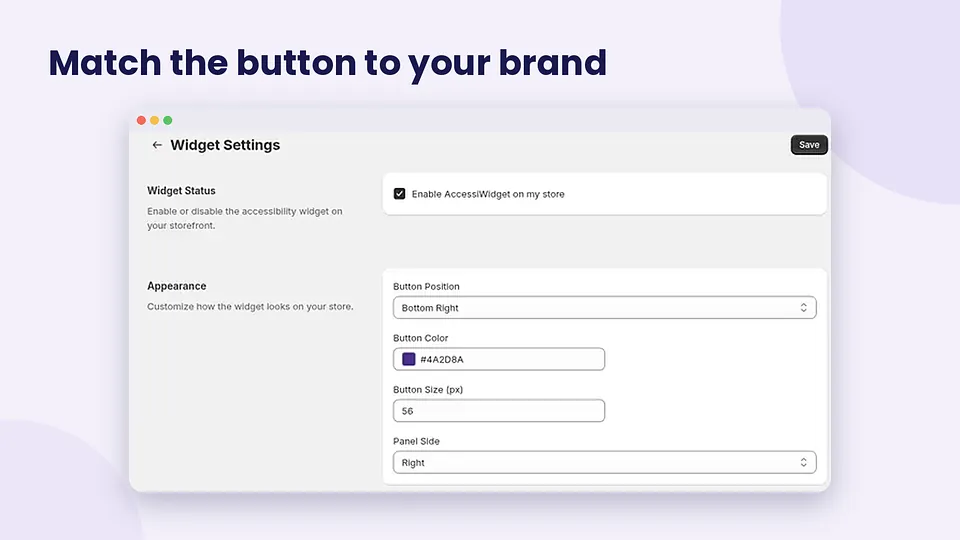
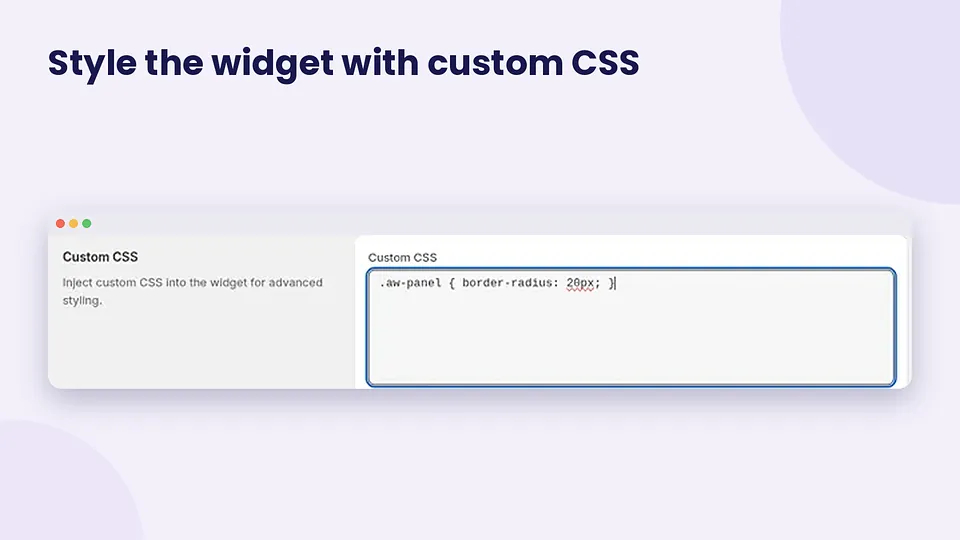
Match the floating button colour and position to your theme, or add custom CSS when you need a tighter brand fit.
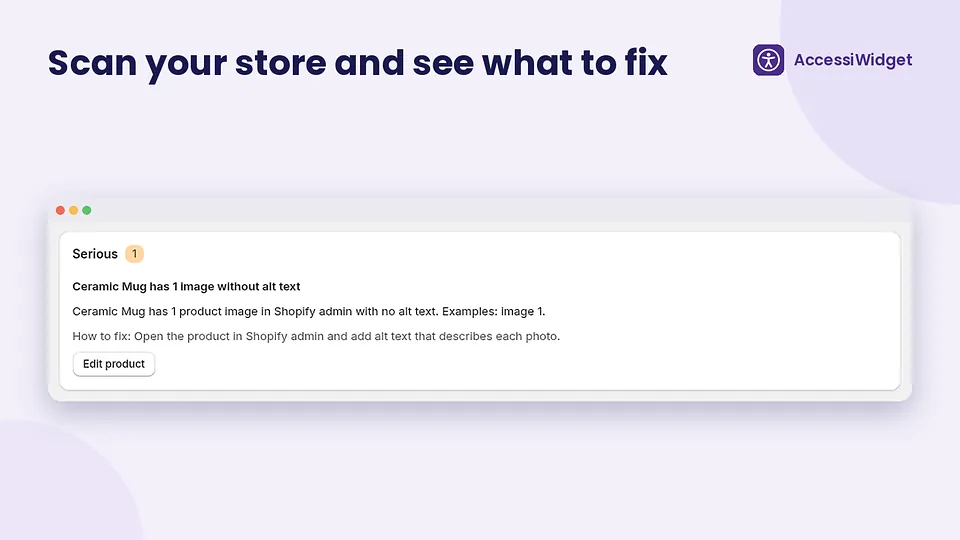
The scan is a practical checklist, not a certificate. It surfaces common issues so you know where to start. Free includes the top 3 scan issues. Paid plans unlock more depth. Either way, use the tips to fix the theme and product content, not as a reason to ignore the underlying work.
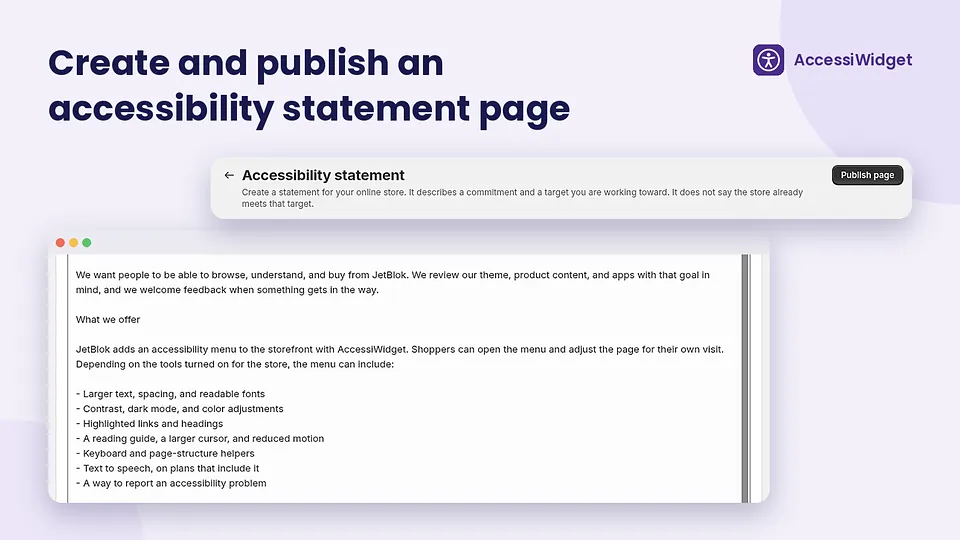
An accessibility statement page tells shoppers what you are doing, how to get help, and how to contact you about barriers. AccessiWidget lets you edit and publish that page from the app. The wording is yours to control. Keep it honest: describe a commitment and a target you are working toward, and do not claim the store already meets any legal or WCAG standard unless that is true after a proper review.
Text to speech and keyboard helpers sit on Starter. Voice navigation sits on Pro. Pick the plan that matches how your customers shop.
How to install AccessiWidget
Install is meant to be short. High level steps:
- Open AccessiWidget on the Shopify App Store and add it to your store.
- Approve the permissions Shopify shows, then open the app in admin.
- Enable the widget on your storefront and place the button where it fits your theme.
- Run a store scan on home, product and collection pages, then work through the how to fix tips.
- Edit and publish your accessibility statement page.
- Check the reports inbox after launch so shopper feedback has somewhere to land.
For feature detail and screenshots, see the AccessiWidget product page. If your theme needs structural fixes after the scan, that is design and development work, not something a widget can paper over.
Plans and pricing (USD)
All prices below are in US dollars, as shown on the Shopify App Store listing.
| Plan | Monthly | Yearly | What you get |
|---|---|---|---|
| Free | US$0 | US$0 | Core shopper tools, profiles, languages and RTL, reports, top 3 scan issues, statement page. No page view limits. |
| Starter | US$4.99/mo | US$49.90/yr | Everything in Free, plus text to speech and keyboard helpers. 14 day trial. Launch offer: 30% off for life. |
| Pro | US$9.99/mo | US$99.90/yr | Everything in Starter, plus voice navigation. 14 day trial. Launch offer: 30% off for life. |
Yearly billing on Starter and Pro is listed as about 17% off the monthly rate. Confirm the live card on the App Store listing before you subscribe, because offers can change.
Checklist: what to fix beyond the widget
Use AccessiWidget as one layer. Keep improving the store itself:
- Alt text: Write meaningful alternative text for product and lifestyle images. Empty or file name alt text is a common miss (WebAIM found missing alt text on 55.5% of home pages in 2025).
- Contrast: Check body text and buttons against a light or dark background. Low contrast was the most common automated failure in the WebAIM Million (79.1% of home pages).
- Form labels: Make sure every input has a proper label, including newsletter and checkout related fields your theme adds.
- Keyboard path: Tab through header, filters, cart and checkout. Focus should be visible and logical.
- Motion: Respect reduced motion preferences in theme animations, even when the widget can pause motion for someone who opens it.
- Language and direction: Set the document language correctly, and test RTL if you sell to those markets.
- Statement and support: Keep your accessibility statement current, and reply to reports from the inbox.
When the theme itself needs restructuring, pair the app with solid Shopify web design rather than stacking more overlays.
Frequently Asked Questions
What is a Shopify accessibility app?
A Shopify accessibility app adds shopper facing tools and merchant helpers to a Shopify store. AccessiWidget lets shoppers adjust text, contrast, fonts and more, while merchants get a store scan with fix tips, an accessibility statement page, and a reports inbox. It is a helpful layer, not a full code rewrite.
Does AccessiWidget make my store ADA or WCAG compliant?
No. AccessiWidget helps shoppers adjust the storefront and helps you find common issues and publish a statement. It does not make a store compliant, guarantee ADA, WCAG or legal compliance, or replace proper HTML, alt text and contrast fixes. No WCAG level is claimed.
How much does AccessiWidget cost?
Prices are in USD. Free covers core tools, profiles, languages, reports, the top 3 scan issues and a statement page with no page view limits. Starter is US$4.99/mo or US$49.90/yr. Pro is US$9.99/mo or US$99.90/yr. Paid plans include a 14 day trial and a launch offer of 30% off for life. Check the live listing for current offers.
What shopper tools are included?
Shoppers can enlarge text, raise contrast, use a dyslexia friendly font, follow a reading guide, pause animations, apply preset profiles, and switch panel languages with RTL support. Text to speech and keyboard helpers are on Starter. Voice navigation is on Pro.
What do merchants get in the admin?
Merchants get a store scan of home, product and collection pages with how to fix tips, an editable accessibility statement page, a reports inbox for shopper feedback, and widget settings including custom CSS. Free includes the top 3 scan issues. Paid plans add more helper features as listed above.
Where can I install AccessiWidget?
Install from the Shopify App Store listing for AccessiWidget: ADA & WCAG (developer JETBLOK). Product details and support context are also on jetblok.com.au/accessiwidget.
Install AccessiWidget, then keep improving the store
Every shopper deserves to feel welcome. Start with the Free plan or a paid trial, turn the widget on, run a scan, publish a clear statement, and fix what the scan and reports show you. When you need hands on help with the theme itself, talk to JetBlok.
Install AccessiWidget from the Shopify App Store · See the AccessiWidget product page · Need help making your store accessible? Talk to JetBlok